
Today’s main task is to automate the build and deployment of the website. I’ll be using an existing self-hosted GitLab for this. Here’s what we will do:
The goal for my site is to automatically rebuild and deploy whenever I push changes to Git. I recently finished migrating GitLab to a new domain, so any conflicts that were occurring should now be resolved.
Setting Up CI/CD
According to the official documentation, here’s the list of jobs needed to build the project. This is the standard template for HUGO.
default:
  image: "${CI_TEMPLATE_REGISTRY_HOST}/pages/hugo:latest"

variables:
  GIT_SUBMODULE_STRATEGY: recursive

test: # builds and tests your site
  script:
    - hugo
  rules:
    - if: $CI_COMMIT_BRANCH != $CI_DEFAULT_BRANCH

pages: # a predefined job that builds your pages and saves them to the specified path.
  script:
    - hugo
  artifacts:
    paths:
      - public
  rules:
    - if: $CI_COMMIT_BRANCH == $CI_DEFAULT_BRANCH
  environment: production
I’m run pipeline and received my artifacts. Good, but site styles is missing!Everything seems to be in order, but according to the documentation, we need to edit our hugo.toml configuration file and set the BaseUrl. This means specifying the address of our site.
Since we don’t have the exact address yet, we can just add a placeholder for BaseUrl for now to avoid forgetting it later.
Configuring and Registering a New Runner
Next, we need a setup our builder for jobs. The previous step was done manually by running jobs on another machine. So, I’ve set up a new Linux runner without tags or additional configurations. I created a simple docker-compose file to ensure that the runner always operates within a container.
version: "3"
services:
  gitlab-runner:
    image: gitlab/gitlab-runner:latest
    container_name: gitlab-runner
    volumes:
      - /path/on/your/server/:/etc/gitlab-runner
      - /var/run/docker.sock:/var/run/docker.sock
    privileged: true # This just for docker-in-docker
    restart: always
Next, we need to launch and register our container. I’m using Portainer, so I simply click the “Update the Stack” button. For register the runner from the command line we should execute this command:
docker exec -it gitlab-runner gitlab-runner register
I enter my domain and the token from GitLab. I choose docker as the executor and use the ruby:2.7 image. If everything is set up correctly, the GitLab interface will show that the runner has been successfully registered.
Extending CI/CD with deploy Job
I spent a lot of time to find a solution that works for me. Most tutorials just use the standard HUGO template from GitLab and deploy to GitLab Pages or another platform. My goal is to generate html/css site by HUGO, send it to my server, then deploy it in a Docker container with the generated site inside.
This didn’t work out right away…
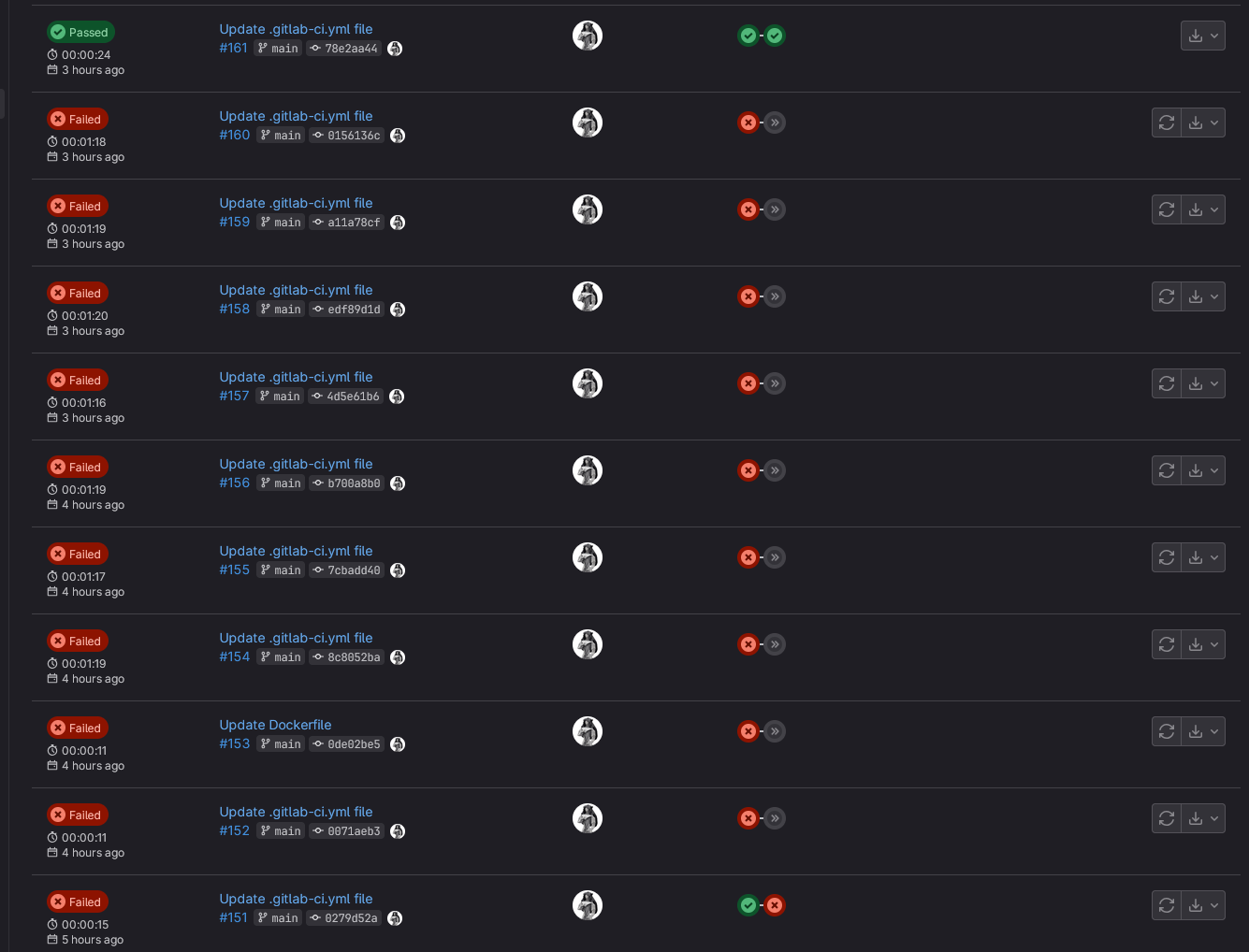
The task turned out to be more challenging than I expected. I had to deal with SSH connections1, key configurations, and more. Eventually, I ended up scripting the deployment of the container directly through CI/CD. My final yaml file looks like this:
variables:
  GIT_SUBMODULE_STRATEGY: recursive
  DOCKER_IMAGE: "hugomods/hugo:nginx"
  HUGO_ENV: production
  SSH_PORT: <PORT>
stages:
  - build
  - deploy
build:
  stage: build
  image: "${CI_TEMPLATE_REGISTRY_HOST}/pages/hugo:latest"
  script:
    - hugo --minify
  artifacts:
    paths:
      - public/
  rules:
    - if: $CI_COMMIT_BRANCH == $CI_DEFAULT_BRANCH
  environment: production
deploy:
  stage: deploy
  image: "alpine:latest"
  before_script:
    - apk add --no-cache openssh-client
    - mkdir -p ~/.ssh
    - echo "$SSH_PRIVATE_KEY" | tr -d '\r' > ~/.ssh/id_rsa
    - chmod 600 ~/.ssh/id_rsa
    - eval $(ssh-agent -s)
    - ssh-add ~/.ssh/id_rsa
    - ssh-keyscan -H $SSH_HOST >> ~/.ssh/known_hosts

  script:
    # Transfer public directory to the server
    - ssh -p $SSH_PORT $SSH_USER@$SSH_HOST "rm -rf /home/$SSH_USER/web/*"
    - scp -P $SSH_PORT -r public/* $SSH_USER@$SSH_HOST:/home/$SSH_USER/web/

    - ssh -p $SSH_PORT $SSH_USER@$SSH_HOST "docker pull $DOCKER_IMAGE"
    - ssh -p $SSH_PORT $SSH_USER@$SSH_HOST "docker stop my-nginx-site || true"
    - ssh -p $SSH_PORT $SSH_USER@$SSH_HOST "docker rm my-nginx-site || true"

    - ssh -p $SSH_PORT $SSH_USER@$SSH_HOST "docker run -d -p 30100:80 --name my-nginx-site -v /home/$SSH_USER/web/:/usr/share/nginx/html $DOCKER_IMAGE"

    - ssh -p $SSH_PORT $SSH_USER@$SSH_HOST "docker ps | grep my-nginx-site"
    - ssh -p $SSH_PORT $SSH_USER@$SSH_HOST "docker logs my-nginx-site"
  rules:
    - if: $CI_COMMIT_BRANCH == $CI_DEFAULT_BRANCH
  environment: production
Conclusion
Yes, the script part in the deploy section might not be the best and could definitely be improved. But come on, it works, and I’m fine with that. Now I can spend more time developing the site and writing posts without worrying too much about publishing changes :>

A good article Deploying a Hugo Static Site Using GitLab, CI/CD, & SSH ↩︎